How to Submit Requests for Measurements on BidEngine

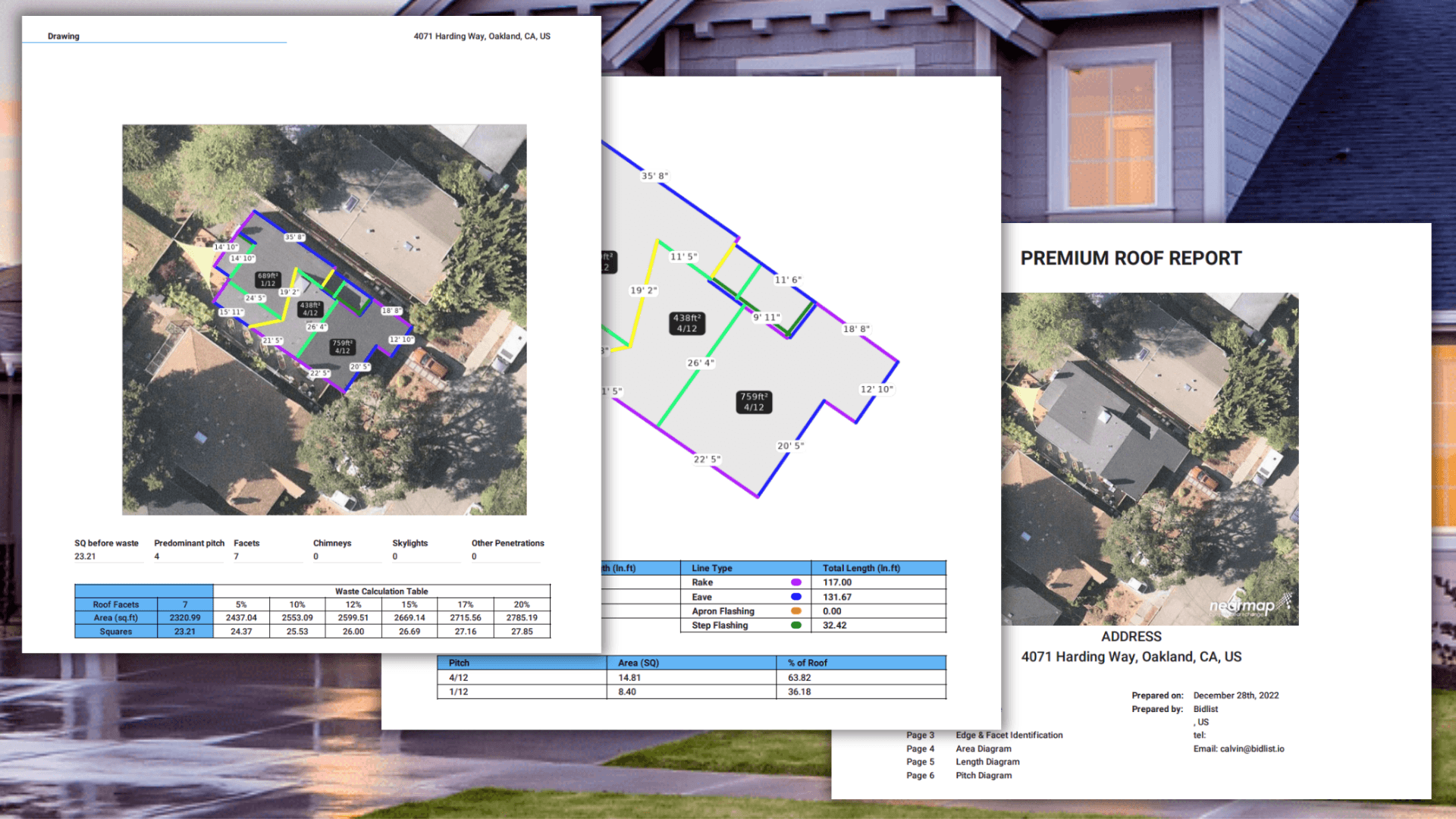
Obtaining roof measurement reports through the BidEngine platform is the easiest and simplest experience you will have with any software out there. It is so quick and simple, that you will wonder why you haven’t been using it your whole career. This quick guide will show you how to submit a request, and go over some of tips and tricks that you can employ to get the most out of the BidEngine platform.
Quick Submissions
To start, lets go over how to make a quick submission for a roof measurement. It really is as simple as:
- Log in to the platform
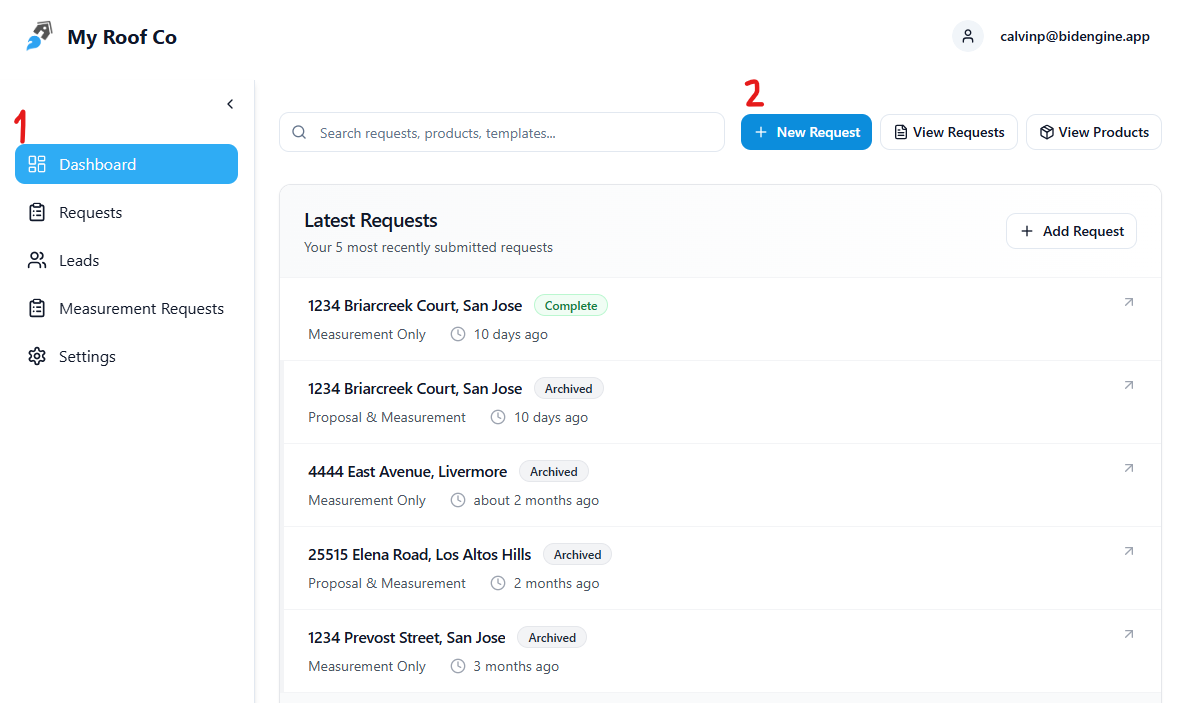
- Go to the Dashboard
- Click “+ New Request” at the top of the page
- Enter the property address
- Add any notes or considerations (optional)
- Click Submit
There you go. In just a few minutes you will receive an email with the roof measurement report attached as a PDF document.
But that’s not all. For each measurement request you submit, you can also have the BidEngine team create a professional looking proposal — for free.
Including Proposals
BidEngine allows you to get a professional-grade proposals along with your roof measurements. BidEngine uses either the pricing that you have set on your profile, or default industry average pricing to populate the line items of the proposal with the scope of work that you desire, along with an image of the roof and a clean format to make it easy for the customer to understand what is included in their project. The proposals are electronically signable, and can even be sent to your customer’s email directly through the BidEngine platform. Here’s how you can request one with your next measurement.
These proposal are free with your purchase of a measurement, but you must indicate that you want one when you submit your request. In order to do that, simple select the, “Proposal & Measurement” option at the top of the request form.
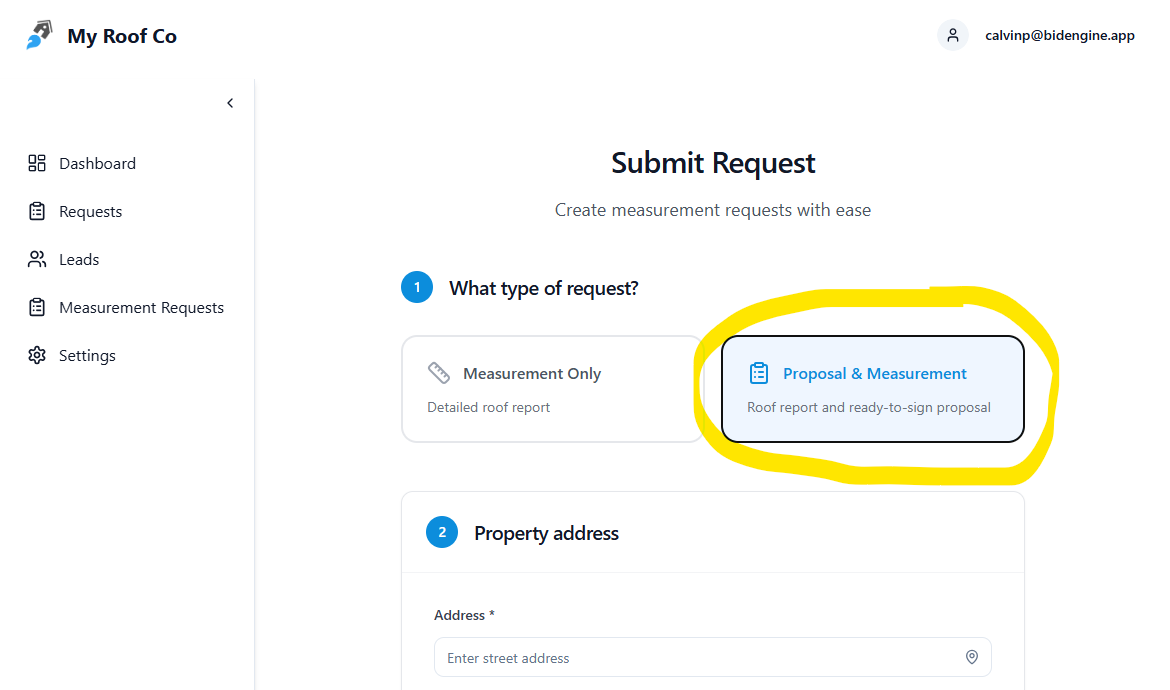
The request form will ask you some additional information, which is used to make sure the proposal gets populated with the correct information. Namely, the customer info so that can be added to the lead and listed at the top of the proposal, along with the desired scope of work for the project and some of the common adders that are often needed on projects.
If you want to make sure that something specific is included or omitted from the scope of work on a proposal, feel free to add a comment in the notes section of the request form.
To make sure proposals are created with your specific pricing for the materials that you install, you will need to update your products and pricing in BidEngine. Luckily, we wrote an easy guide for you to follow which walks you through how to make changes to the existing products in your catalogue, and how to add new products that can be used in proposals in the future. Check it out here.
Multi-Building Complexes and Commercial Buildings
BidEngine allows you to measure multiple buildings together, such as an apartment complex or shopping center. However, the pricing for these sorts of measurements is a bit different than normal single-family homes. For large buildings, the price of a measurement report is $9 for every 100 Squares of roof area, rounding up. So if a roof is 109 Squares, the cost would be $18 to receive the measurement. For multi-building complexes, the price is $9 for each building in the complex. The buildings must all be in the same general location, otherwise they would be treated as separate projects.
To submit a request for a large building, the process is the same as a normal single-family house.
To submit a request for multi-building complex, you must check the “Multi-Building Complex” toggle on the request form. This will take you to different request form where you can input an image of the complex that you want measured, and indicate which specific structures you want measured. The best way to indicate is with a screenshot or photo of the complex with labels or numbers on the buildings you want measured. You can also upload a photo and just describe the structures you want measured in the notes section of the request form.
The BidEngine team will measure each building in a standalone report, and then provide you with an aggregated measurement that includes the measurement details from all the buildings summed up together. This way you can see the total amount of roof area for the entire complex, or look at the measurement details for a specific building.
Requesting Revisions
Sometimes there are errors on measurement reports, or you need something included or removed from a measurement, such as a detached garage or awning roof. BidEngine allows you to request revisions to measurements at no extra cost, and with super speedy turnaround times. To request a revision or change to a measurement, go to the email that was sent to you, and click on the button called “Request Revision.”
This will take you to a form where you can describe the changes or revisions that are needed and upload a photo or screenshot to help indicate what you mean.
Or measurement team will process your revision request immediately, no waiting in the queue.
Multiple Requests for the Same Lead
Sometimes you want to receive multiple measurements for the same property. Maybe this is because you want to see the measurement details with a part of the roof included, and also without. BidEngine allows you to do this simply by going to the Lead that was created when you submitted the original request, heading to the ‘Measurements’ tab, and clicking, “Request Measurement.”
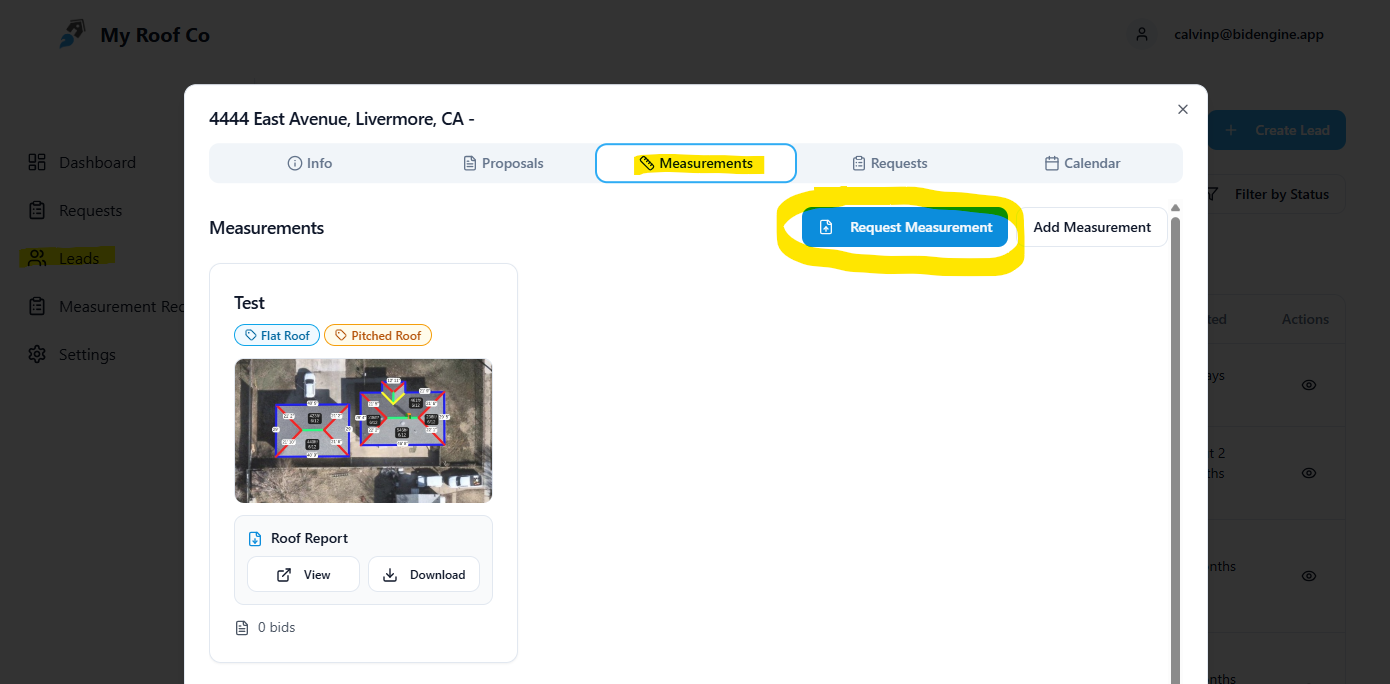
Make sure that you leave a note on the request stating that you want an additional measurement for this lead that includes something different than the original request, so our measurement team knows that it’s not just a duplicate request. This new measurement will be stored as on the same lead, and you use it to create a new proposal on the lead as well.
Things to Consider
When using BidEngine to receive roof measurements and proposals, there are a few important things to consider.
- Business Hours: BidEngine processes measurement requests between 8am and 7pm PST Monday through Friday, and 9am to 6pm on Saturday. We are closed on Sundays and major US holidays. If you submit a request outside of those business hours, we will process it when we open.
- Accuracy and Limitations: The roof reports that we produce are as accurate as we can make them, and based off user feedback are usually within a square of the actual roof area. However, this does not mean that we are 100% accurate all of the time, and various factors such as tree coverage, image distortion, and poor image resolution can lead to errors in pitch or area calculations. Please double check all measurements before purchasing materials. Our measurements are best suited to urban and suburban area, as more rural locations tend to have low resolution images and less data for us to work with. If we do not feel confident in our ability to measure a roof, we will not charge you for it.
Frequently Asked Questions
Can you provide siding or window measurements?
No
Can you take requests via email or text?
No
Can I manually measure roofs myself using BidEngine?
No
Will I be double-billed if I submit multiple requests for the same property?
No
Do you offer bulk pricing discounts?
Yes. If you purchase 100 credits at once, the cost is $8/per report.
How do you figure out the pitch of the roof?
The imagery that we use comes with LIDAR data which the software uses to get the pitch of the roof. Sometimes we can double check from Google Streetview images.
Do you have an API? Can you integrate with my CRM? Can you build custom features?
Typically yes, but it depends. We will charge you to build custom integrations or features. Feel free to reach out and we can discuss what is possible.
How can I reach you if I have questions that aren’t answered here?
You can email me at calvinp@bidengine.app or call me at 510-387-5771